For villa maintenance companies in Thailand, the biggest worker adoption problem is usually not the work itself. It is the app. Managers want visibility, task tracking, photos, checklists, reports, and approvals. Field workers, however, want something simple that fits into their normal day.
That is why LINE task management works better than forcing another app on field workers in Thailand. Most workers already use LINE for daily communication. They know how to read messages, send photos, reply quickly, and check updates from their phone. When a maintenance system uses LINE as the worker interface, the team does not need to learn a new app just to complete a pool cleaning, garden maintenance, house cleaning, AC service, pest control, or repair task.
For villa managers, the goal is not to replace the operational dashboard. The goal is to separate the manager experience from the worker experience. Managers need structure, visibility, reports, and control. Workers need simple task instructions inside a tool they already understand.
This is exactly where VillaFlow fits. Workers stay in LINE, while managers use the dashboard to schedule jobs, track progress, collect photo proof, review problems, manage owner approvals, and generate reports.
Why Another App Creates Friction for Field Workers
Many software tools fail in field operations because they ask workers to change too much. A worker may need to download a new app, remember a password, learn a new interface, update the app, allow permissions, and understand menus that were designed for managers rather than field teams.
That may sound small, but in daily villa maintenance it creates real friction. Workers move between villas, handle outdoor work, carry tools, answer calls, and work under time pressure. They may also have different language preferences, different phone models, and different levels of confidence with business software.
When a company introduces another app, managers often see slow adoption. Some workers forget to open it. Others send updates back in LINE anyway. A few may complete the job but skip the app steps. As a result, the manager still has to chase updates, search chats, and rebuild reports manually.
A good field workflow should reduce effort, not add more steps. If the worker already uses LINE all day, the smarter solution is to turn LINE into the task interface and keep the more advanced system behind the scenes.
Why LINE Fits Thailand’s Field Workforce
LINE is deeply connected to daily communication in Thailand. For many teams, it is already the place where workers receive job updates, send photos, ask questions, and confirm tasks. DataReportal’s Digital 2025 Thailand report shows how important digital and mobile communication is in the country, including high internet use, strong mobile connectivity, and large LINE adoption.
For field workers, familiarity matters. They do not need to understand a new product. They do not need to search for a new icon. They do not need to ask the manager how to send a photo. They already know the behavior.
This is especially important in villa maintenance because the work is practical and time-sensitive. A pool worker needs to know which villa to visit, what to clean, which photo to upload, and how to report a problem. A gardener needs the checklist and the job location. A cleaner needs room instructions and completion proof. A repair worker needs photos, notes, and approval status.
LINE helps because it keeps the worker interaction simple. VillaFlow then adds the structure that normal chat groups do not provide.
LINE Alone Is Not Enough
LINE is useful, but normal LINE groups are not a full operations system. A chat group can send messages, but it cannot reliably organize every job by villa, date, worker, service type, status, cost, issue, and report.
This is where many villa maintenance companies get stuck. They use LINE because workers like it, but managers still suffer from messy operations. Photos disappear inside chat history. Repair requests mix with routine jobs. Owner approvals sit between unrelated messages. Monthly reports take too long because the manager has to collect everything manually.
The solution is not to remove LINE. The solution is to connect LINE to a structured workflow.
With VillaFlow, LINE becomes the worker-facing layer. The dashboard becomes the manager-facing layer. Workers receive structured tasks in LINE, while managers see every job in the system. This gives both sides what they need.
To connect this article internally, link this point to VillaFlow’s features because that page explains the dashboard, LINE worker tasks, photo proof, recurring schedules, problem reporting, owner approvals, and monthly reports.
What LINE Task Management Should Include
LINE task management should not be a normal message that says, “Please go to Villa A.” A structured task needs to give workers enough detail to complete the job without asking five more questions.
A strong LINE task should include:
Villa name and location
Service type
Date and expected time
Checklist items
Required photos
Start button
Problem reporting option
Done confirmation
Worker language preference
When the task includes these details, the worker can act quickly. They know where to go, what to do, what proof to send, and how to report an issue. Meanwhile, the manager can track the job without asking for constant updates.
This is very different from a normal chat message. In a regular LINE group, a task can be missed if many people reply after it. In a structured workflow, the task has a status. The manager can see whether it is scheduled, started, blocked, completed, or overdue.
Better Photo Proof Without Chasing Workers
Photo proof is one of the biggest reasons LINE works well for field teams. Workers already know how to take a photo and send it in chat. The problem is that normal chat photos are hard to organize later.
For example, a pool worker may send a photo after cleaning. A gardener may send a before-and-after image. A cleaner may upload room photos. A contractor may send a repair image and an invoice photo. If all of this stays inside a group chat, the manager must search manually when the owner asks for proof.
With VillaFlow, photo proof from LINE can attach to the correct villa, job, date, and worker. That makes the photo useful beyond the moment it was sent. The manager can review it in the dashboard, connect it to issues or costs, and use it later in owner reports.
This creates a better workflow for everyone. Workers still use the same habit: take photo, send photo, finish job. Managers get organized documentation instead of scattered media.
You can link this section internally to how VillaFlow works so readers can understand the full flow from worker tasks to owner reports.
Faster Problem Reporting From the Field
Field workers often see problems before managers do. They notice broken lights, leaking AC units, blocked drains, damaged tiles, pest activity, weak pool flow, or unsafe areas. If reporting the issue feels difficult, workers may delay it or mention it casually in chat.
That creates risk. A small issue can become a guest complaint or an owner dispute.
A LINE-based workflow makes reporting easier. The worker can press a problem option, add a photo, and describe what they found. The manager can then review the issue in a dedicated queue instead of searching through messages.
This matters in tropical villa environments. For example, standing water, blocked drains, and outdoor maintenance issues can increase mosquito risk. The CDC mosquito prevention guidance recommends removing or treating standing water sources around buildings and outdoor areas. A fast field report helps managers act before small issues become larger ones.
Multilingual Teams Need a Simpler Interface
Many villa maintenance teams in Thailand include workers who prefer Thai, Myanmar, or English. Managers may work in English or Russian, while field workers need instructions in their own language.
Another app can make this harder if the interface, buttons, menus, and training material do not match the worker’s language. Even when the app supports multiple languages, workers may still struggle if the interface feels unfamiliar.
LINE is easier because the worker already understands the basic behavior. VillaFlow can send structured worker messages in the preferred language, while managers continue to use the dashboard in the language they need.
This reduces training time and improves task completion. The worker does not need to understand the full system. They only need to read the task, follow the checklist, upload the photo, report problems if needed, and mark the job complete.
Why Managers Still Need a Dashboard
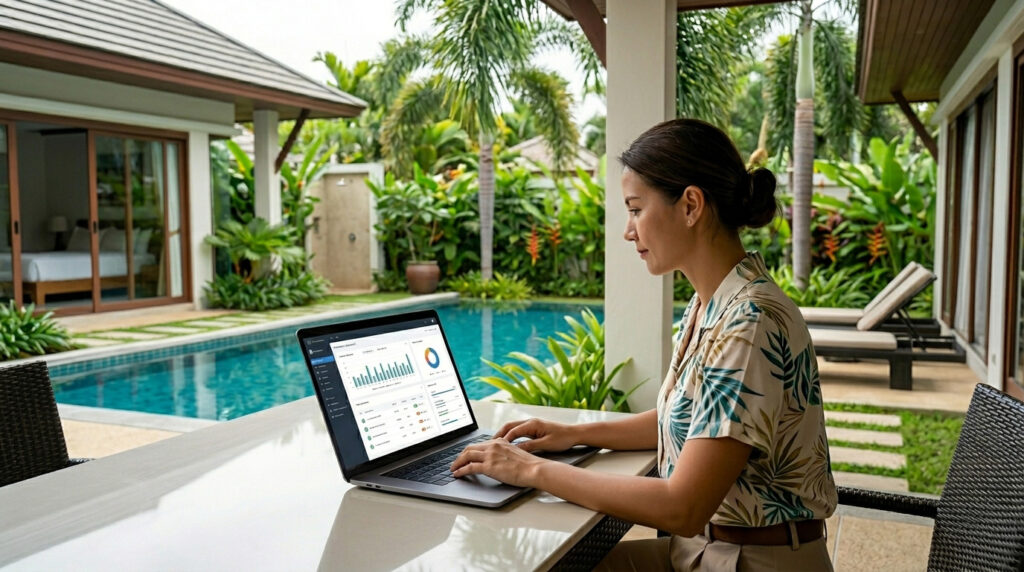
LINE should make life easier for workers, but managers still need more than chat. They need one place to see every villa, every job, every status, and every problem.
A manager dashboard should answer important questions:
Which jobs are scheduled today?
Which jobs have started?
Which jobs are overdue?
Which workers uploaded photo proof?
Which issues need follow-up?
Which repairs need owner approval?
Which costs should appear in the owner report?
Without a dashboard, the manager still works too hard. They must read every chat, message every worker, remember every issue, and rebuild reports at the end of the month. That does not scale.
VillaFlow keeps the dashboard for managers and LINE for workers. That split is the key. It keeps the worker experience simple while giving the business the structure it needs.
For a product-focused internal link, connect this section to VillaFlow pricing or to the main VillaFlow homepage depending on where you want readers to go next.
LINE Official Account Supports Business Communication
LINE is also useful because it already supports business communication through LINE Official Account. According to the official LINE for Business LINE Official Account page, businesses can use features such as 1:1 chat, quick replies, auto-response messages, rich menus, broadcasts, and other tools to communicate more effectively.
For villa operations, the point is not to use every marketing feature. The point is that LINE already has business infrastructure and user familiarity in Thailand. VillaFlow builds on that behavior and turns it into a maintenance workflow.
When workers receive structured tasks through LINE, the company does not need to fight user habits. It uses the habits that already exist.
Final Checklist: When LINE Is Better Than Another App
LINE is usually better for field workers when:
Workers already use LINE every day.
The team needs quick task instructions.
The job requires photo proof.
The company wants fewer app-login problems.
Workers prefer Thai, Myanmar, or English messages.
Managers still need dashboard visibility.
The company wants to reduce training time.
Field teams need fast problem reporting.
Owners expect organized proof and reports.
The business wants structured operations without changing worker behavior.
Another app may still be useful for managers, admins, or office teams. But for field workers, LINE often creates a smoother path to adoption.
Conclusion
For villa maintenance teams in Thailand, the best system is not always the system that asks every worker to use a new app. The best system is often the one that respects how the team already works.
LINE task management works because it keeps the worker experience familiar. Workers receive jobs, upload photos, report problems, and mark tasks complete through LINE. Managers get the structure they need through the VillaFlow dashboard. Owners receive clearer updates, better photo proof, and more professional reports.
That is why LINE is better than another app for many field workers in Thailand. It reduces training, improves adoption, and helps villa maintenance companies turn everyday communication into a real operational workflow.